


Additional Information
| Weight | 5 kg |
|---|---|
| Dimensions | 30 × 30 × 20 cm |
| Color | Amber / Yellow, Red, White |

399,00 € Original price was: 399,00 €.299,00 €Current price is: 299,00 €. excluding Tax
| Weight | 5 kg |
|---|---|
| Dimensions | 30 × 30 × 20 cm |
| Color | Amber / Yellow, Red, White |
Only logged in customers who have purchased this product may leave a review.
This File is only for Products that are Plug and Play.
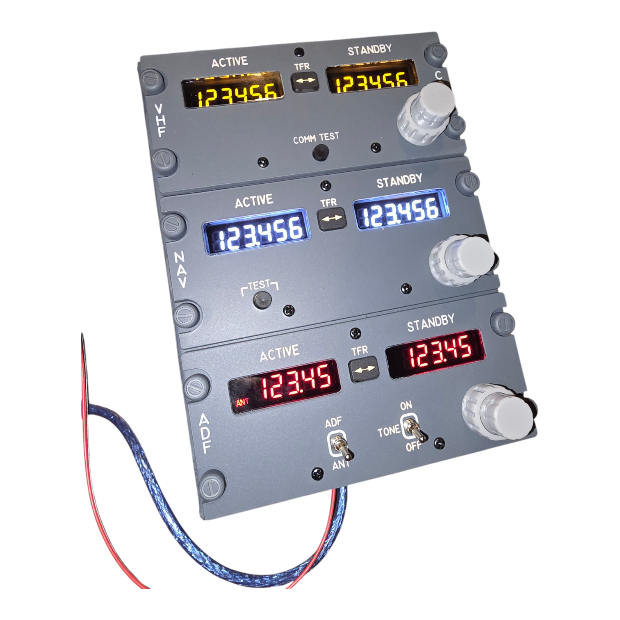
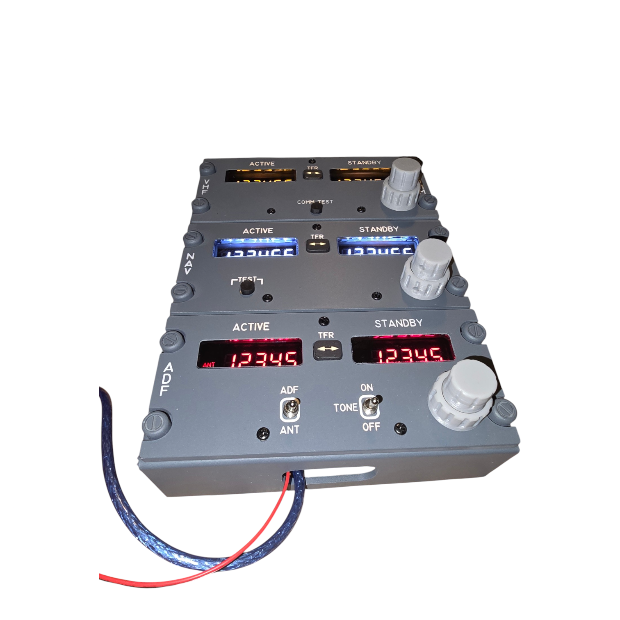
Bring authentic Boeing 737 cockpit functionality to your flight simulator with the Simbay Radio Bay, a compact and highly detailed radio panel designed for enthusiasts who want realistic controls without complicated installation.
The Radio Bay combines authentic cockpit styling, functional radio controls, integrated electronics, and realistic backlighting in a convenient plug-and-play package. Everything is prepared and assembled for you, so getting started is simple: connect the USB connector to your computer and connect a 12V DC power supply for the backlighting.
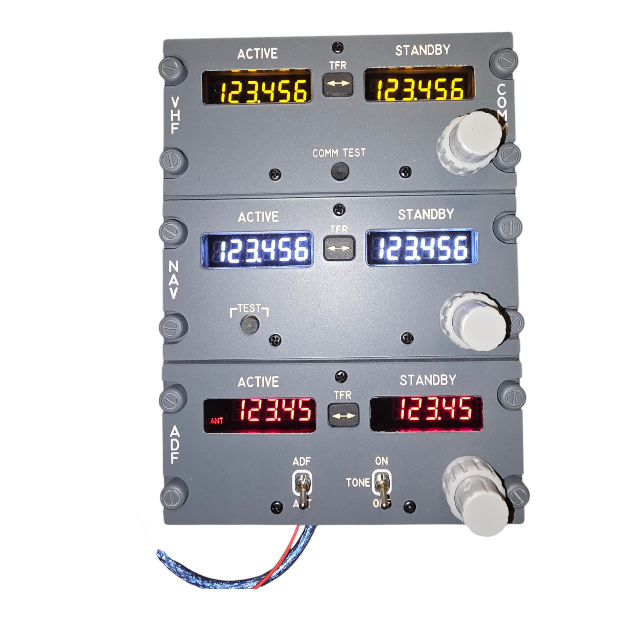
One of the key features of the Simbay Radio Bay is the selectable 7-segment LED display color.
Choose the display color that best matches your cockpit style or personal preference:
Red – classic Boeing-style cockpit appearance
Yellow / Amber – warm, traditional aviation display appearance
Cold White – clean and modern appearance with excellent contrast
This choice allows you to customize the look of your Radio Bay while maintaining the authentic appearance and functionality of a dedicated flight simulator radio panel.
The Simbay Radio Bay is designed to replicate the appearance and functionality of the radio section found in the Boeing 737 cockpit.
Detailed panel graphics, realistic controls, buttons, knobs, and illuminated 7-segment displays combine to create an authentic flight deck experience. The panel is designed with the flight simulation enthusiast in mind, providing the visual and tactile feedback needed for an immersive simulator setup.
Whether you’re building a complete Boeing 737 cockpit or simply want to add realistic radio controls to an existing simulator, the Radio Bay provides a straightforward way to expand your setup.
The Radio Bay is supplied as a fully assembled and ready-to-use plug-and-play unit.
There is no complicated wiring, PCB assembly, Arduino programming, or individual control configuration required.
Simply:
Connect the USB connector to your computer.
Connect a 12V DC power supply to activate the backlighting.
Connect your simulator and start flying.
The integrated electronics are already installed and prepared, making the Radio Bay an ideal choice for users who want realistic hardware without the complexity normally associated with DIY cockpit electronics.
The Radio Bay features functional controls designed to provide a realistic Boeing 737 radio experience.
The combination of rotary controls, buttons, displays, and cockpit-style labeling gives you the tactile interaction expected from a dedicated flight simulator radio panel.
The 7-segment LED displays are available in your choice of red, yellow/amber, or cold white, allowing you to personalize the appearance of your cockpit.
The Radio Bay includes integrated cockpit-style backlighting designed to reproduce the appearance of an illuminated aircraft panel.
The backlighting is powered separately using a 12V DC power supply, allowing the lighting system to operate independently from the USB connection used for the simulator controls.
This makes the system simple to install while providing the realistic glow expected from a Boeing 737-style cockpit environment.
With dimensions of just:
15 × 21 × 5 cm
the Radio Bay is compact enough to fit into a wide variety of simulator configurations.
Its size makes it suitable for:
Home-built Boeing 737 cockpits
Desktop flight simulator setups
Compact cockpit projects
Flight simulation training environments
Custom simulator panels
Enthusiasts upgrading an existing cockpit
Despite its compact footprint, the Radio Bay provides a dedicated, highly detailed control interface without requiring a large amount of cockpit space.
Product: Simbay Radio Bay
Type: Plug-and-play flight simulator radio panel
Dimensions: 15 × 21 × 5 cm
Connectivity: USB
7-segment LED display: Red, yellow/amber, or cold white — selectable
Backlighting: Integrated cockpit-style backlighting
Backlighting power: 12V DC
Electronics: Fully assembled and integrated
Installation: Plug and play
Wiring: No internal wiring required by the customer
Intended use: Flight simulation and cockpit builds
The Simbay Radio Bay is designed for users who want the realism of dedicated cockpit hardware without the complexity of assembling and programming their own electronics.
Its selectable 7-segment LED display color, compact size, authentic appearance, functional controls, integrated backlighting, and simple USB connection make it an easy addition to almost any flight simulator setup.
Choose your display color. Plug it in. Power the backlighting. Fly.
No complicated wiring. No Arduino programming. No PCB assembly. Just a ready-to-use flight simulator radio panel.
What colors are available for the 7-segment LED display?
You can choose between red, yellow/amber, and cold white for the 7-segment LED display.
Can I choose the LED color when ordering?
Yes. The desired 7-segment display color can be selected when ordering.
Is the Simbay Radio Bay plug and play?
Yes. The Radio Bay is supplied fully assembled and ready to connect. Simply plug the USB connector into your computer and connect a 12V DC power supply for the backlighting.
Do I need to program an Arduino?
No. The electronics are already installed and prepared. No Arduino programming or electronics assembly is required.
Does the Radio Bay require a separate power supply?
Yes. The USB connection is used for the simulator electronics, while a 12V DC power supply is required for the integrated backlighting.
What are the dimensions of the Radio Bay?
The Radio Bay measures 15 × 21 × 5 cm.
Does the Radio Bay include backlighting?
Yes. The panel includes integrated backlighting, powered by the 12V DC connection.
Do I have to wire the controls myself?
No. The Radio Bay is supplied as a ready-to-use plug-and-play unit, so there is no customer wiring or PCB assembly required.

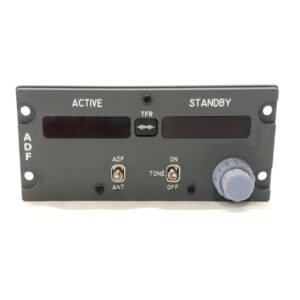

This set includes the front and back panels, all annunciators, knobs, and switch guards.
Note: No electronic components are included. You will need to purchase switches, toggle switches, rotary switches, encoders, or potentiometers separately.
This is a fully functional unit that must be connected via the IDC connector pins on the back of the PCB to a controller board. Programming is required.
Pin layout information is either printed on the PCB or provided in a separate datasheet.
This version comes pre-programmed and USB-ready for use with your preferred flight simulation software.
Simply plug it in, install the provided configuration files, and you’re ready to fly!
Power Supply Note:
Because the panels can be daisy-chained using their power connectors, single-panel products do not include a 12V power adapter. Only one adapter is required to power your entire custom cockpit setup. The power supply is used solely for the backlighting, not for the product’s core functions.
All knobs are high-quality, resin 3D-printed components with realistic designs. They are supplied with a D-shaft fitting.
For modifications or custom requirements, please contact our support team.
The gauges are powered by SG90 servo motors, compatible with most available controller boards. Each unit includes one or two pre-mounted servo motors.
Calibration must be done via your software or firmware.
Where specified, we use 28BY stepper motors with a ULN2003 driver board.
Electronics are available as complete packages or individual components. When selecting a color or type, you will receive the specified quantity of the chosen product.
PCB Only: Includes just the bare PCB. You can order components separately.
PCB + Electronic Components: Includes a blank PCB plus all necessary components for you to solder.
Soldered PCB: Fully soldered and tested by us. Ready to connect to your controller board and program.
 WARNING – Flight Simulation Hardware Scam Alert
 All official sales should be handled through Simbay.de and not via direct bank transfers to private accounts. We will always stay in contact with our customers and, if requested, are happy to communicate via phone call or video call to verify identity and products. Always verify the seller before making any payment.
Reviews
There are no reviews yet